Quick summary for busy business owners.
- AI and vibe coding are useful for quick CRM prototypes, but they are not the same as a business-ready management system.
- A proper custom CRM needs workflow design, dashboards, tables, calendars, messaging, permissions, reports and support.
- Good CRM design matters because staff adoption, trust and daily usage depend on clarity and polish.
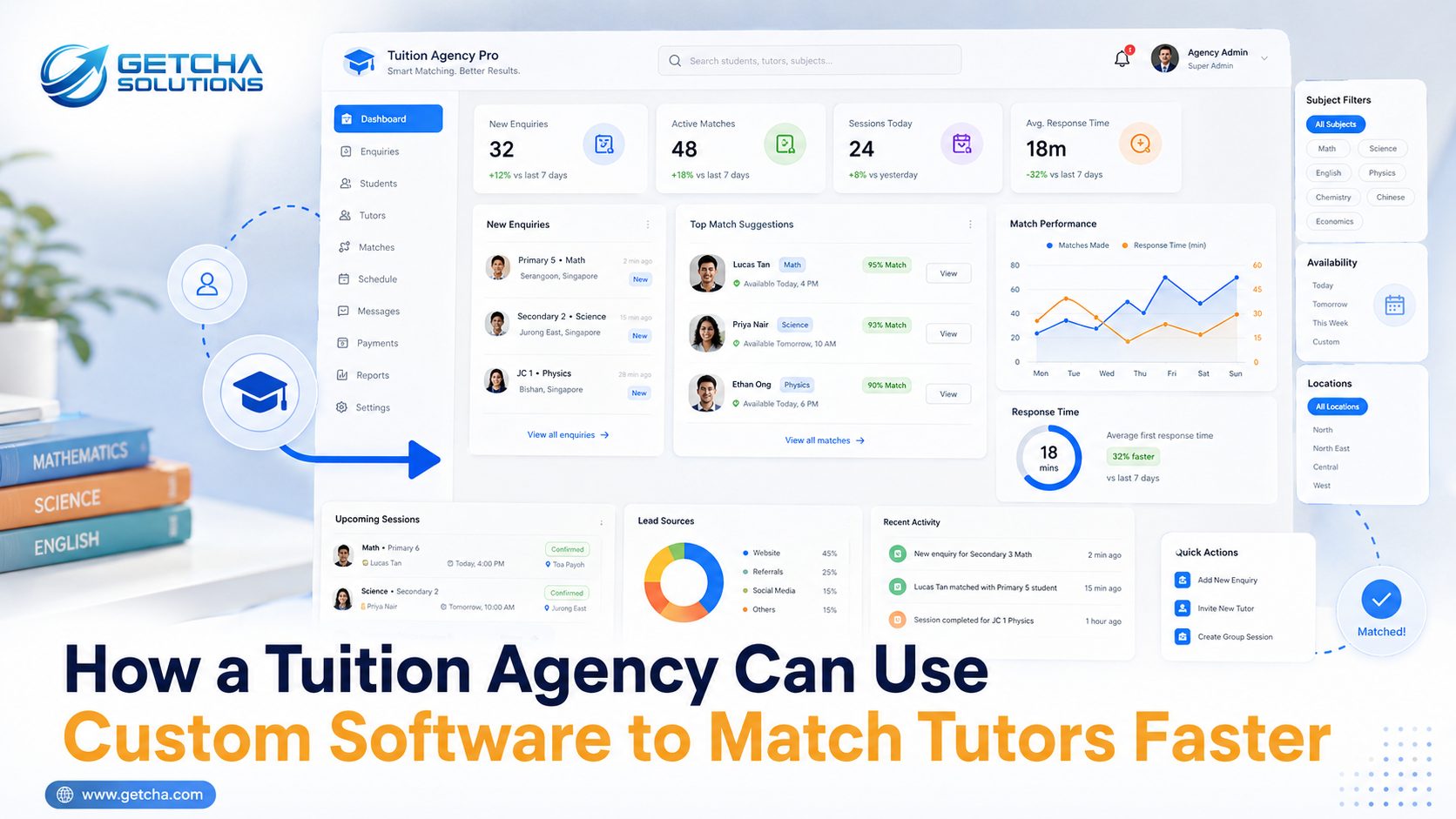
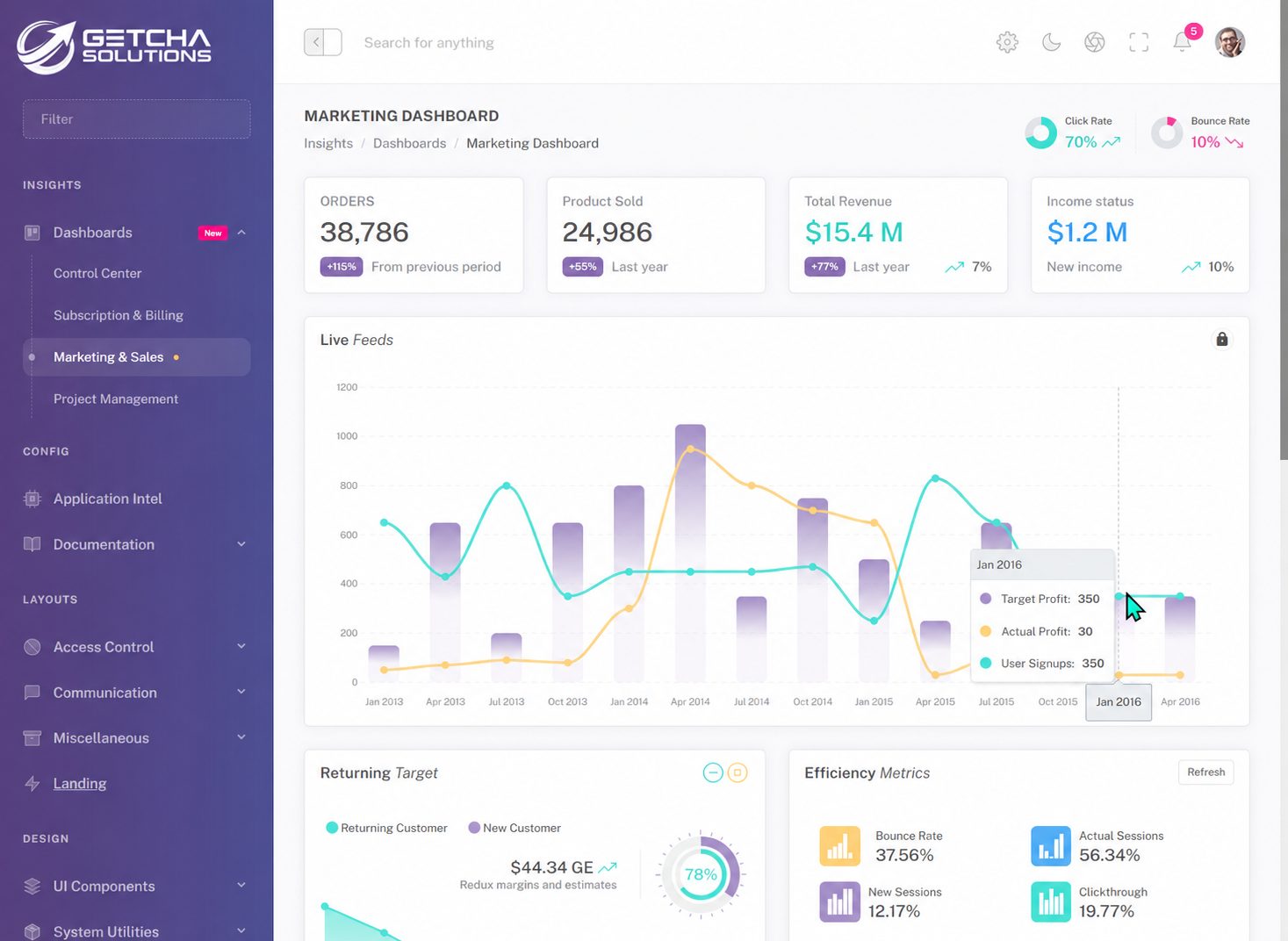
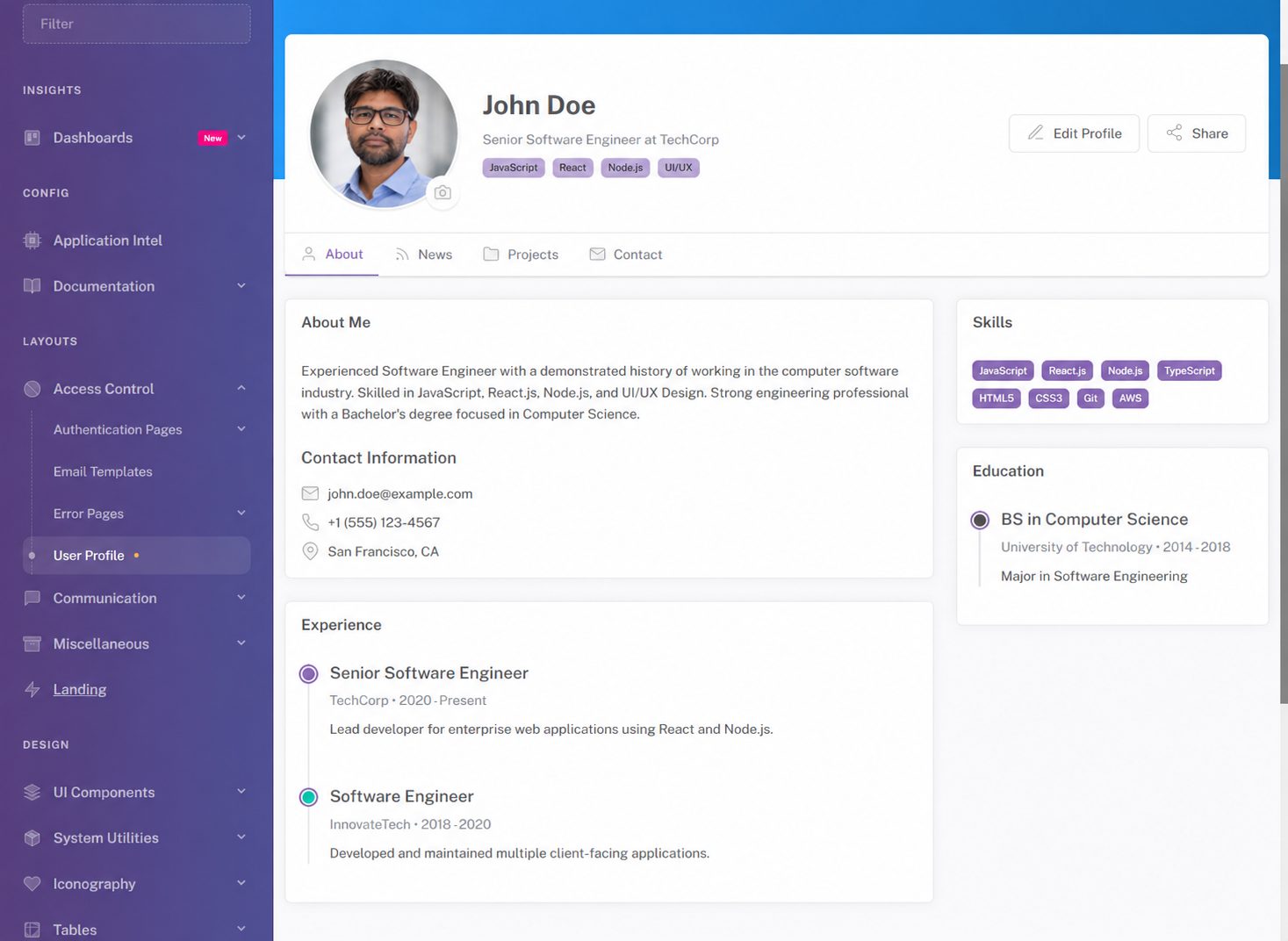
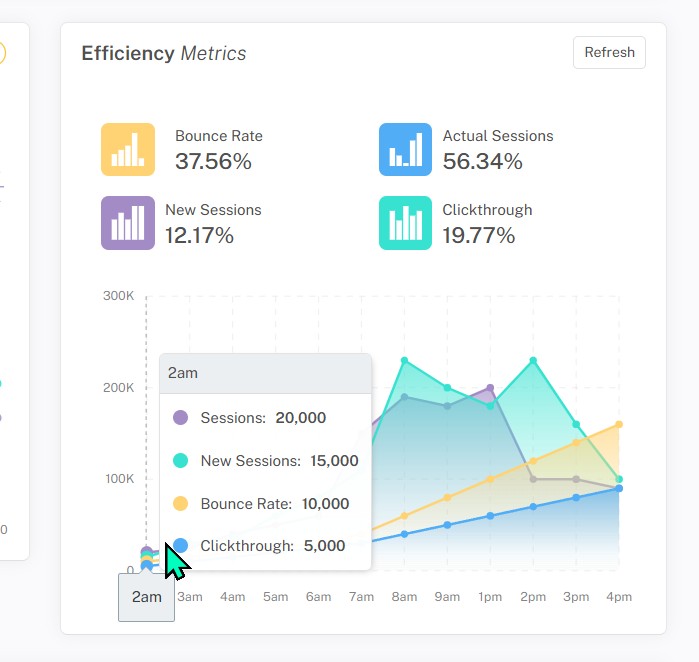
- The screenshots in this article show the kind of polished CRM interface quality Getcha Solutions can build and customise for Singapore SMEs.
- If your business is still running on Excel and WhatsApp, a custom CRM may give you better control than another generic tool.
Everyone is vibe coding now.
You open an AI tool, type something like, "Build me a CRM system for my business," wait a few seconds, and suddenly code starts appearing like magic. A dashboard here. A login page there. Some buttons, some forms, maybe even a chart that looks important.
Then the confidence comes.
"Wah. I think I can build my own software already."
Can. Technically can.
But the real question is not whether you can generate a CRM system. The real question is whether the system will be good enough for your actual business, your actual staff, your actual customers, and your actual daily chaos.
Because a business system is not just a few pages connected to a database. A proper custom CRM system has to look professional, feel easy to use, protect your data, support your workflow, and still make sense after your initial excitement has gone back to normal human level.
That is where things become interesting.
Thinking of building a custom CRM?
Send me your current Excel sheet, WhatsApp flow or manual process. I will tell you what can be simplified, automated and turned into a proper CRM system.
Discuss your custom CRMVibe coding is useful. Let's not pretend it is not.
I am not anti-AI. I use AI too.
As someone who has been building websites, web apps, mobile apps and custom software systems in Singapore for many years, I would be silly to ignore AI. AI coding tools can be extremely useful. They can help create rough prototypes, generate form layouts, suggest database structures, speed up repetitive coding work, and help test an idea quickly.
If you have an idea for a small internal tool, AI can help you produce something visible very fast. That part is genuinely impressive.
But building something visible is not the same as building something dependable.
This is where many people get tricked. The first screen appears, the button works once, the chart loads some sample data, and suddenly the system feels "almost done". In real software development, "almost done" is a very dangerous phrase. It usually means the demo works, but real users have not arrived yet to destroy your confidence.
And real users are very talented at finding problems.
These screenshots show the kind of CRM quality I mean
The screenshots in this article show the kind of polished admin dashboard and management system interface I can build, customise and adapt for Singapore SMEs.
I am not saying every business needs this exact design. A tuition agency, renovation contractor, clinic, wholesale supplier and appointment-based service business will all need different workflows. But the quality level matters.
When you look at a proper dashboard, you should immediately feel that this is a real business tool. The navigation should be clear. The charts should make sense. The calendar should be useful. The customer records should be easy to find. The tables should be searchable. The interface should feel like something your staff can open every day without silently crying inside.
Good design is not just decoration. It affects whether people trust the system.
If your CRM looks confusing, your staff will avoid it. If it looks unfinished, your boss will doubt it. If it feels clumsy, everyone will slowly return to Excel and WhatsApp, and the "new system" becomes one more expensive icon nobody clicks.
A proper CRM must not only work. It must feel worth using.
A CRM is not a spreadsheet wearing a shirt
Many people think a CRM is just a customer table.
Add customer. Edit customer. Delete customer. Search customer. Done.
That is not a CRM. That is a spreadsheet wearing a shirt and pretending to be promoted.
A real CRM system is supposed to support how your business actually runs. It should help you manage enquiries, customers, appointments, follow-ups, staff assignments, quotations, payments, reports and communication history.
For example, a service business may need to know which customer enquired, who replied, what was promised, whether a quotation was sent, whether follow-up is due, and whether the job was completed. A tuition agency may need student enquiries, tutor matching, subjects, locations, availability and parent communication. A wholesale business may need order tracking, packing, delivery and invoice status.
All these are workflows. Not just pages.
AI can generate a generic CRM screen, but your business is not generic. Every SME has its own strange rules. And I say "strange" with love, because after years of building custom systems, I know every business has at least one rule that sounds like this:
"Only admin can edit this, except boss, but sales can see it, but not if the customer is under another branch, unless it is urgent."
Try explaining that to a basic AI prompt and see what comes out.
Maybe it will work. Maybe it will create a button called "urgent branch admin override maybe". Very modern. Very dangerous.
The dashboard should help you think faster
A good dashboard is not there to impress visitors. It is there to help the business owner make decisions faster.
When you open a proper management system, you should be able to see what needs attention. New enquiries. Pending follow-ups. Sales performance. Upcoming appointments. Delayed jobs. Outstanding payments. Staff workload. Customer activity. Revenue trends.
The dashboard should answer the owner's favourite question:
"So, what is happening?"
That sounds simple, but it takes planning. You need to know what data matters, how to group it, what should be highlighted, and what should stay hidden until needed.
A dashboard filled with random charts is not useful. It may look like a spaceship, but if nobody knows what to do with the information, then it is just expensive wallpaper.
The screenshots show the idea clearly. A proper CRM interface should make information visible without making the user feel attacked by numbers.
Business owners are already busy. The system should reduce mental load, not add a new mountain to climb.
Calendar, chat and tables are where real work happens
Some features look simple until you actually build them properly.
A calendar is a good example. At first, it looks like just a grid of dates. But a real business calendar may need staff availability, appointment categories, reminders, cancellations, recurring events, branch locations, customer notes, admin override and notification rules.
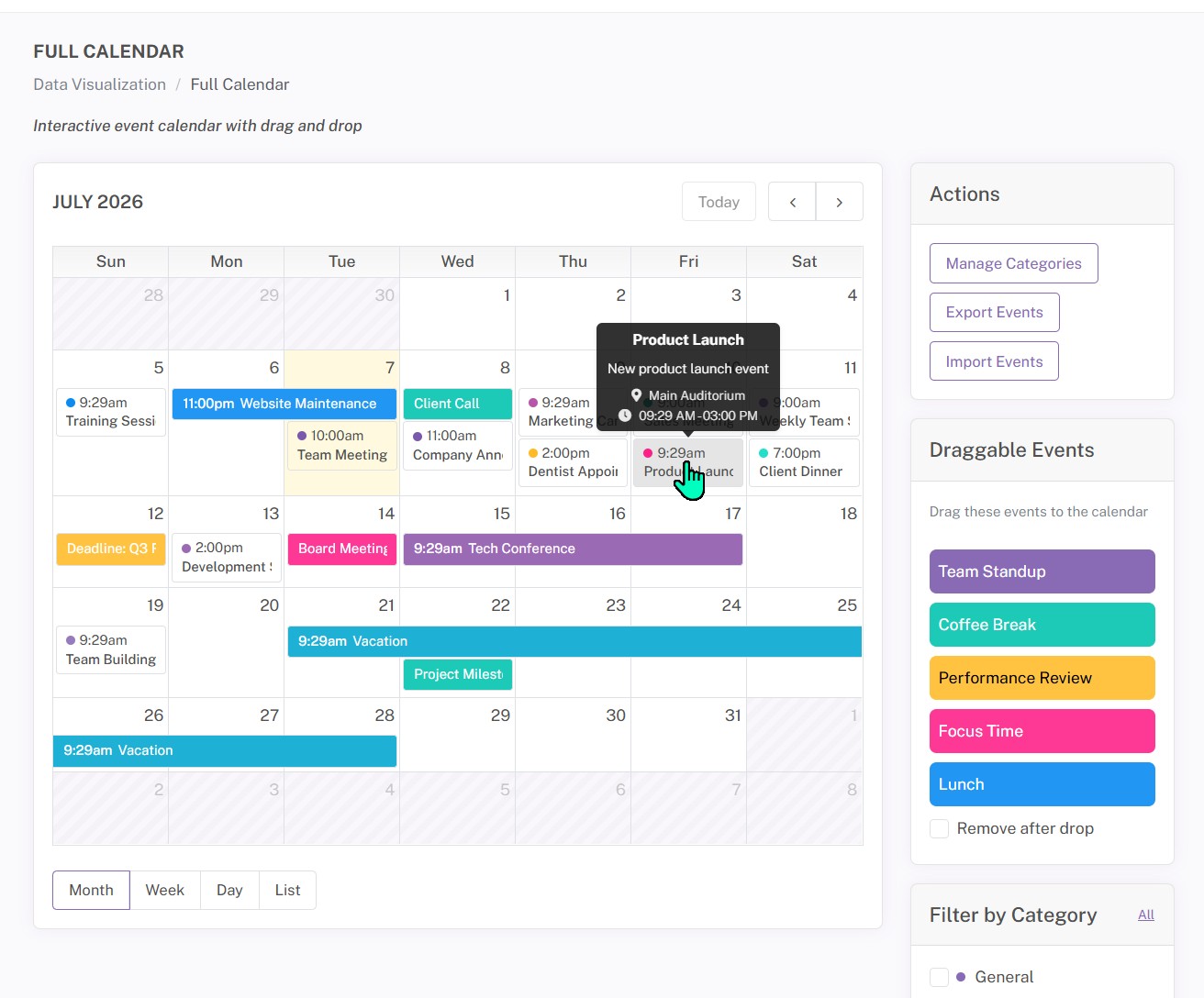
Then someone says, "Can block lunch time?"
Then another person says, "Can customers only choose available slots?"
Then boss says, "Can I see everyone's schedule but staff only see their own?"
Suddenly the calendar is no longer cute. It has become a small government department.
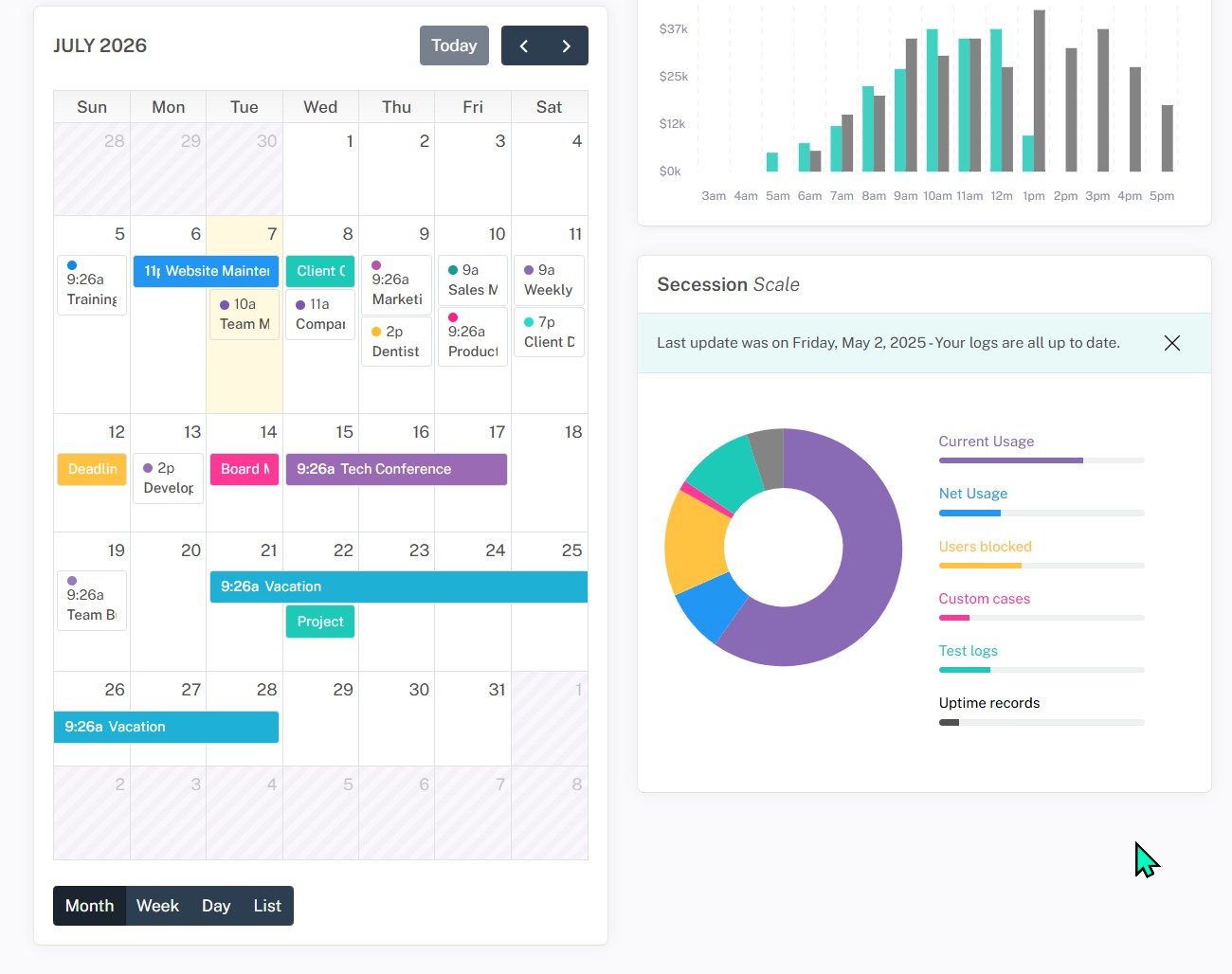
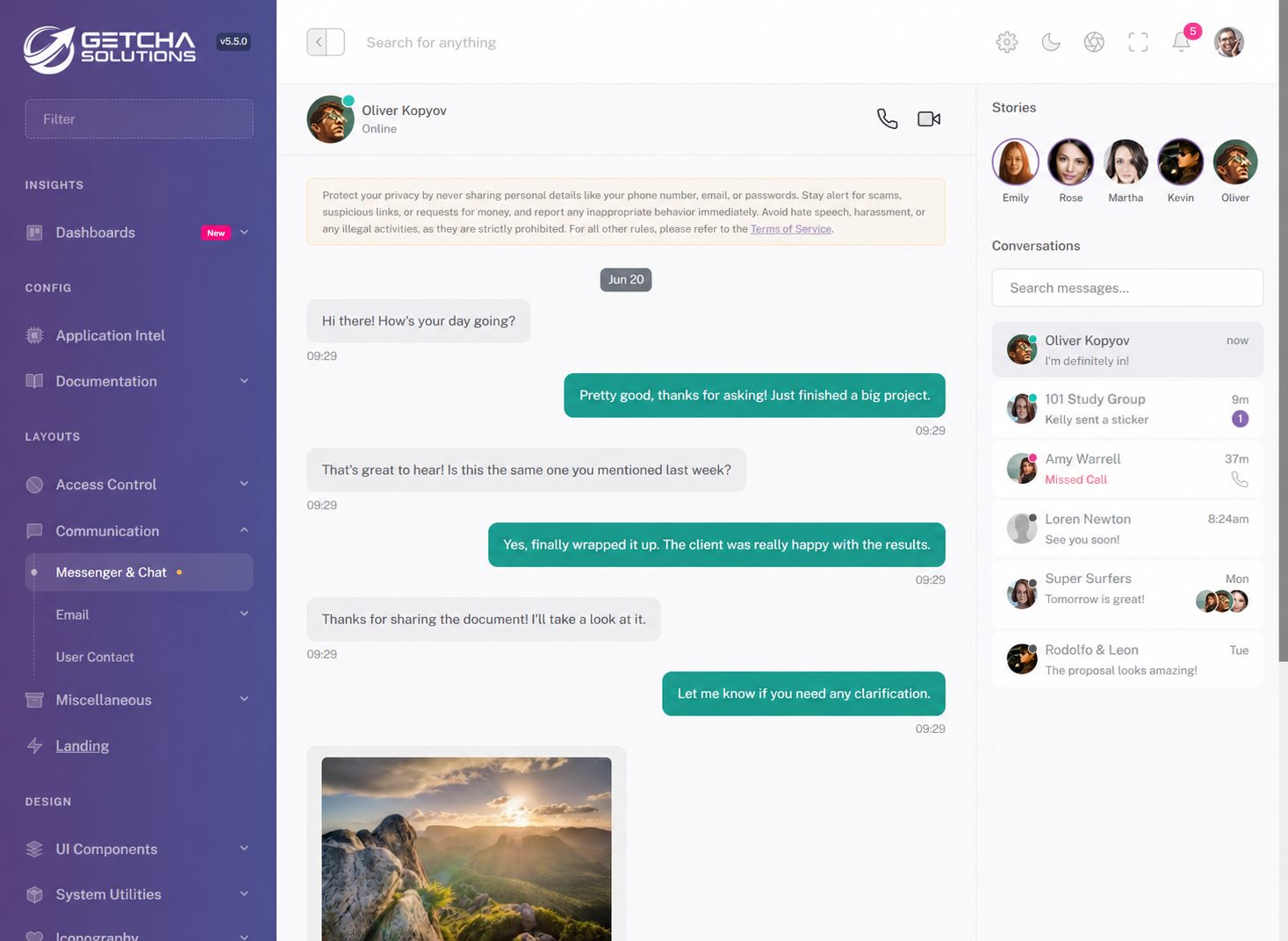
Messaging is another example. Many Singapore SMEs run heavily on WhatsApp. Customer enquiry? WhatsApp. Staff instruction? WhatsApp. Quotation? WhatsApp. Follow-up? WhatsApp. Important file? Also WhatsApp, buried somewhere between a thumbs-up sticker and a "Good morning" flower image.
WhatsApp is useful, but it is not a CRM.
A proper CRM should help centralise important notes and customer history so the business does not depend on one person's phone memory. If someone is on leave, the business should still know what happened. If a customer calls again, staff should not behave like they are solving a detective case.
Then there are tables. Nobody gets excited about tables, but tables are where most admin work happens. Search, filter, sort, export, view details, update status, print reports. If the table is slow, messy or hard to use, the whole system feels painful.
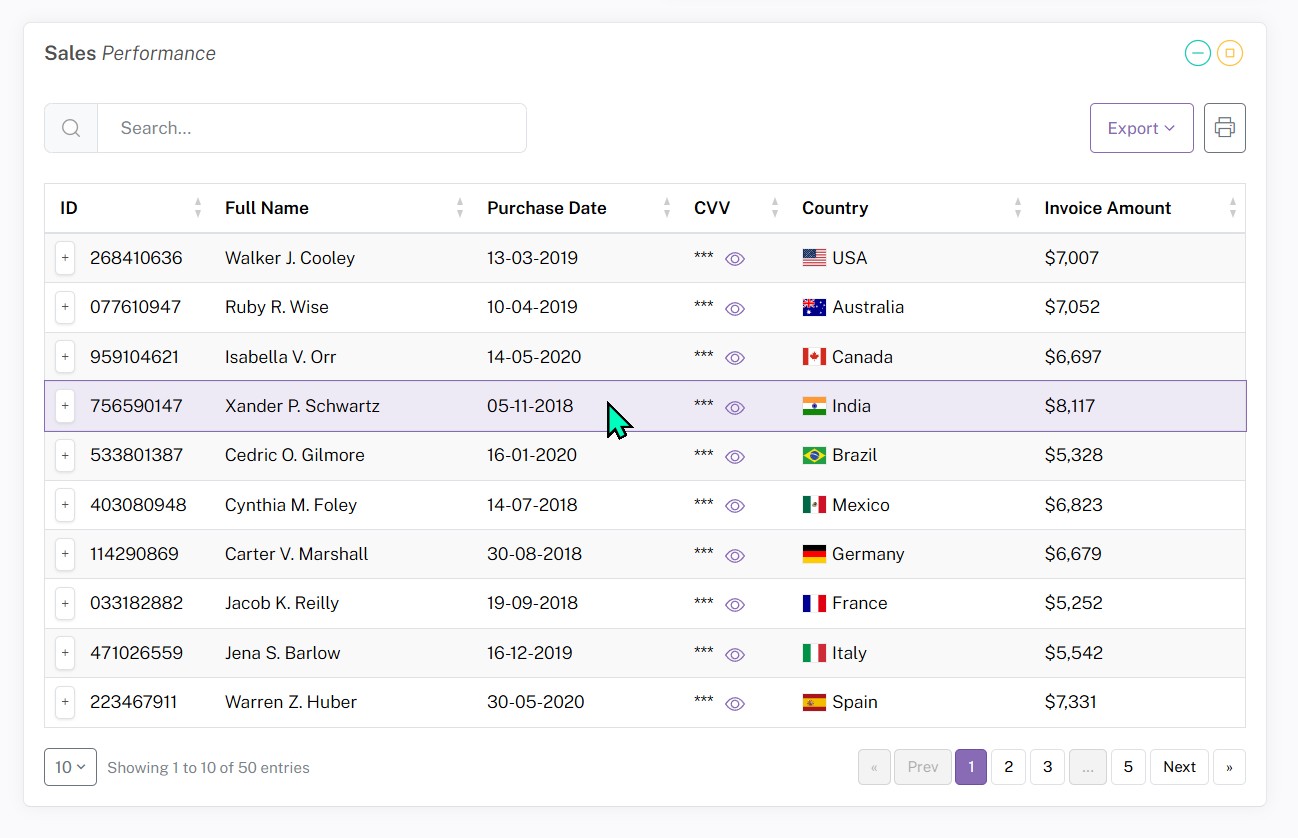
This is why good CRM development is not just "make it look nice". It is about making daily work smoother.
The hidden work is where the real value is
The clean interface is what people see. The hidden work is what makes it survive.
Behind a proper custom CRM system, there is database planning, login security, user roles, validation, backups, file upload handling, mobile responsiveness, audit logs, error handling, report generation, export tools, performance tuning and future maintenance.
These are not glamorous. Nobody shares screenshots of "input validation working correctly" and gets 10,000 likes.
But these things matter.
If customer data leaks, it matters. If staff can see records they should not see, it matters. If the system crashes when there are too many records, it matters. If the export is wrong, it matters. If the database is badly planned and every future change becomes painful, it matters.
AI can help generate code, but someone still has to be responsible for the system.
This is where experience comes in. The value of an experienced developer is not just typing code. It is knowing what can go wrong before it goes wrong. It is knowing when a feature sounds simple but will become trouble later. It is knowing how to structure the system so the business can grow without rebuilding everything from scratch.
If you want a deeper comparison between ready-made platforms and custom systems, I also wrote about Zoho vs custom CRM for Singapore SMEs.
AI can start the work. Experience must finish it.
AI coding tools are improving very quickly. I am not pretending otherwise.
They can help developers work faster. They can help business owners test ideas. They can reduce repetitive work. Used properly, AI is a strong assistant.
But AI does not automatically understand your business.
It does not know your staff habits. It does not know your boss's reporting style. It does not know that your admin team still wants an Excel export because "we are comfortable like that". It does not know that your customer journey starts from a website enquiry, continues in WhatsApp, becomes a quotation, then becomes a job, then becomes an invoice, then becomes a follow-up.
You have to explain all that. Then you have to design it. Then you have to build it properly. Then you have to test it with real users.
That is why I see AI as a tool, not a replacement for thinking. I have written about this before in Everyone Says Coding Is Dead. My Clients Prove Otherwise. Coding is changing, yes. But serious business systems still need judgement.
AI can help cook faster. But someone still needs to know the recipe, taste the food, and make sure nobody serves raw chicken.
When vibe coding is enough
There are times when vibe coding is perfectly fine.
If you are building a personal tool, a rough prototype, a small calculator, a demo dashboard or a simple internal experiment, go ahead. AI can help you move quickly. You can test ideas without spending too much time or money.
In fact, I encourage business owners to explore. The more clearly you understand what you want, the better the final system can be.
But once the system involves real customers, real staff, real payments, private data, operational reports or daily business usage, you need to be more careful.
At that point, the question changes from "Can I build this?" to "Can I depend on this?"
That is a very different question.
When a custom CRM makes sense
A custom CRM makes sense when your business process does not fit nicely into ready-made software.
Maybe your team is using Excel, WhatsApp, Google Sheets and memory power all at the same time. Maybe leads are getting lost. Maybe follow-ups are inconsistent. Maybe reports take too long. Maybe staff keep asking the same questions. Maybe you bought a ready-made CRM but nobody uses it because it does not match how your business actually works.
That is when a custom CRM system can help.
The goal is not to build software for fun. The goal is to give your business better control.
A good custom CRM can help you track enquiries, manage customers, assign work, monitor follow-ups, view reports, reduce repeated admin work and keep important information in one place.
It should feel like your business finally has a proper control room.
Not a messy table with five notebooks and one WhatsApp group called "important final latest v3".
What I can build for Singapore SMEs
I build websites, web apps, mobile apps and custom software systems for Singapore businesses.
For CRM and management systems, I can help plan and build customer management dashboards, enquiry tracking systems, appointment booking systems, staff admin panels, sales reports, workflow automation tools, internal portals and custom web apps.
The system can be simple or advanced depending on what your business actually needs. Some SMEs need a lightweight CRM. Some need a full management system. Some need appointment booking software. Some need sales tracking. Some need a dashboard that finally tells them what is happening without digging through ten Excel files.
The important thing is to start with your workflow, not with random features.
If the business process is clear, the system can be built around it.
Final thought
So yes, you can vibe code your own CRM system.
You may even get something working.
But will it look polished? Will it be secure? Will your staff use it? Will it match your workflow? Will it still make sense after six months? Will it help you reduce admin work and follow up with customers better?
That is the real test.
AI is powerful, but business software still needs human judgement, design sense, technical experience and practical understanding of how SMEs actually operate.
If your business is still running on Excel sheets, WhatsApp messages, repeated reminders and "who updated this ah?" confusion, send me your current process.
I can help you see what can be automated, what should stay simple, and what kind of custom CRM system will make sense for your business.
And if you already tried vibe coding your CRM and it now looks like a haunted spreadsheet, don't worry.
We can still rescue it.
Common questions about this topic.
Can I use AI to build my own CRM system?
Yes, you can use AI to build a simple CRM prototype or internal tool. But if the system will handle real customer data, staff workflows, reports, payments or business operations, it should be reviewed and properly built by someone with software development experience.
Is vibe coding suitable for business software?
Vibe coding is suitable for prototypes and simple tools. For serious business software, it is usually not enough by itself because you still need security, database planning, user roles, testing, maintenance and workflow design.
What is the difference between a custom CRM and ready-made CRM software?
A ready-made CRM gives you standard features. A custom CRM is built around your actual business process, including your staff roles, reports, customer journey and workflow rules. For some Singapore SMEs, custom software fits better because their operations are too specific for generic tools.
Why does CRM design matter?
CRM design matters because staff must use the system every day. A clean and professional interface reduces confusion, improves trust and helps users complete tasks faster. If the system is ugly or confusing, people will avoid it.
How much does a custom CRM cost in Singapore?
The cost depends on the number of modules, workflows, users, reports, integrations and design complexity. A simple CRM costs less than a full management system with dashboards, appointment booking, automation, permissions and reporting.
Can AI-generated code be used safely?
AI-generated code can be useful, but it should be reviewed, tested and secured. AI can produce code that looks correct but has hidden problems, weak security or poor long-term maintainability.
What features should an SME CRM system include?
A practical SME CRM may include customer records, enquiry tracking, follow-up reminders, staff assignment, appointment scheduling, notes, file uploads, dashboards, reports, search, filters, exports and permission controls.
Can Getcha Solutions build a custom CRM for my business?
Yes. Getcha Solutions can plan, design and build custom CRM systems, admin dashboards, workflow automation tools and management systems for Singapore SMEs. The best starting point is to share your current workflow, Excel files or manual process.